Why Choose Ubuy for Computer Accessories?
When it comes to computer accessories, choosing Ubuy opens the door to an impressive array of options tailored to every need and lifestyle. Imagine a seamless experience where you can buy computer accessories online with just a few clicks, having them delivered right to your doorstep, no hassle involved. Ubuy prides itself on offering high-quality products from top brands, ensuring reliability and trustworthiness. Additionally, the convenience of a well-organized online store allows you to navigate through various categories like gaming accessories, ergonomic tools, and multimedia devices effortlessly. Our commitment to international shipping means that no matter where you are in the world, you can enhance your computing experience with the latest accessories. Whether you're a student looking for laptop essentials or a professional who needs office gear, shop with Ubuy for a comprehensive shopping experience that leaves no stone unturned.
- Wide selection of top brands
- Convenient online shopping experience
- Reliable international shipping
Top Computer Accessories Collections
Discovering the right computer accessories can transform your daily tasks from mundane to efficient. At Ubuy, we curate top collections that cater to various user needs, ensuring that you have access to must-have products. From compact computer speakers that deliver rich audio to ergonomic keyboards designed for prolonged typing comfort, our collections emphasize quality without compromising on style or functionality. Consider accessories like durable mouse pads that improve precision and comfort while you navigate your tasks, or vibrant computer monitors that elevate your visual experience into the realm of cinematic brilliance. Each category is meticulously chosen to resonate with modern tech enthusiasts, making it easy to enhance not just how you work, but also how you play. No matter your interest-be it gaming setups or home office essentials-Ubuy is your gateway to innovation and convenience in computer accessories.
- Curated selections for every need
- High-quality audio and visual products
- Ergonomic designs for comfort
Mouse vs Keyboard: Comparison
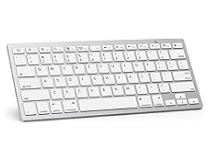
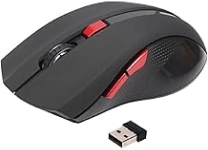
Choosing between a mouse and a keyboard is like deciding between a paintbrush and a canvas; both tools are essential for creating a masterpiece in your digital workflow. The computer mouse is your right-hand companion, designed for precision and speed-perfect for quick navigation, gaming, or creative tasks like graphic design. On the other hand, the keyboard is the core of productivity, offering tactile feedback and programmable keys that help streamline your workflow. Investing in a high-quality mechanical keyboard can enhance your typing speed and reduce wrist strain during long hours of use. Understand your needs: if you are a gamer, consider a specialized gaming mouse with adjustable DPI settings, while professionals may require a keyboard with macros to improve their work efficiency. Ultimately, both accessories are vital and should complement each other for an optimal computing experience.
- Mouse enhances precision for navigation
- Keyboard boosts productivity in typing
- Both are essential for a complete setup
How to Choose the Right Computer Accessories
Selecting the right computer accessories can significantly influence your productivity and enjoyment. Start by assessing your primary use case-are you gaming, working, or casually browsing? For gamers, consider high-DPI mice and mechanical keyboards that provide tactile response and speed. If working from home, ergonomic keyboards and mouse pads can help prevent strain during long hours of use. Evaluate compatibility as well: ensure that accessories can talk to your devices seamlessly. Portability is another factor for students and professionals on the go-compact designs can save space and offer convenience. Lastly, don't overlook aesthetics; choose accessories that complement your setup's style. Ultimately, aligning your needs with the right products will not only boost your performance but also enhance your overall computing experience.
- Assess your primary use case
- Evaluate compatibility with devices
- Consider aesthetics and design
Top Computer Accessories Brands
When it comes to computer accessories, several reputable brands stand out for their innovation, quality, and user satisfaction. Logitech is known for its advanced peripherals like gaming mice and keyboards that enhance performance through ergonomic design. Razer takes gaming gear up a notch with customizable RGB lighting and high-precision sensors, perfect for competitive gamers. For audio, brands like Bose and Audio-Technica are renowned for computer speakers that provide stunning sound fidelity. Dell and HP, two major players in the hardware space, also deliver excellent computer accessories designed to complement their systems. With these trusted names, you can confidently explore and select tech solutions that enhance your computing experience-whether that's for work, gaming, or daily use.
- Logitech for advanced peripherals
- Razer for high-performance gaming gear
- Bose for premium audio solutions
Select the Right Computer Accessories to Boost Your Productivity
Navigating the world of computer accessories can seem daunting, but selecting the right tools can dramatically enhance your productivity. Start by identifying the tasks you frequently engage in-be it gaming, graphic design, or everyday office work. For gamers, high-DPI mice and mechanical keyboards can make a significant difference in reaction time and comfort during extended sessions. For professionals, ergonomic chairs and adjustable monitor stands can help create a healthier workspace. Wireless options offer freedom from clutter, while essential cables ensure a seamless connection to your devices. Leading brands such as Logitech, Razer, and Dell provide a wide array of accessories that cater to different user needs. Prioritizing functionality and comfort will help you create a workspace that inspires creativity and efficiency, ultimately allowing you to work smarter, not harder.
- Identify your primary tasks
- Choose ergonomic accessories for comfort
- Explore brands known for quality and functionality