0 ratings

Vare #:
124881121
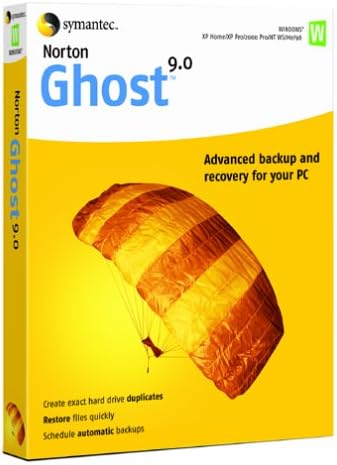
Norton Ghost 9.0 OLD VERSION
Vare #:
124881121
DKK 532
Prisdetaljer
Eksklusive forsendelses- og toldgebyrer ( Forsendelses- og toldgebyrer beregnes ved checkout )
*Alle varer importeres fra US
0 ratings
Skriv en anmeldelse
På lager
 Importeret fra USA butik
QTY:
Bestil nu og få den omkring Lørdag, September 05
Sikker transaktion
Ubuy arbejder hårdt for at beskytte din sikkerhed og dit privatliv. Vores avancerede betalingssikkerhedssystem sikrer fortrolighed ved at kryptere dine oplysninger under transmission ved hjælp af AES (Advanced Encryption Standards) og SSL (Secure Socket Layer) protokoller. Dine betalingsoplysninger er 100% sikre, da vi ikke deler dine betalingsoplysninger med tredjepartssælgere.
Vores bedste logistikpartnere


Protect your data by making a backup of your hard drives contents--without restarting Windows.

Køb nu, betal senere

Hurtig
levering

Gratis
returnering*

Sikker emballering

100 % originale produkter'

PCI DSS Compliance

ISO 27001 Certified




Note: Step Down Voltage Transformer required for using electronics products of US store (110-120). Recommended power converters Køb nu.


Hvad der skiller sig ud
Comprehensive Backups
Norton Ghost 9.0 offers extensive data backup options, ensuring your files are secure from loss, allowing users to restore their systems swiftly should data loss occur.
User-Friendly Interface
The intuitive interface simplifies the backup process, making it accessible for users of all skill levels, ensuring a hassle-free experience for both tech-savvy individuals and beginners.
Flexible Recovery Options
With tailored recovery solutions, Norton Ghost 9.0 allows users to restore specific files or entire systems, offering flexibility and peace of mind when addressing data recovery scenarios.
Produktdetaljer
| Package Dimensions | 9.8 x 7.8 x 1.3 inches (24.9 x 19.8 x 3.3 cm); 3 pounds (1.36 kg) |
| Item model number | 10281772 |
| Date First Available | August 2, 2004 |
| Manufacturer | Symantec |
Hvem bør købe?

-
Home Users
Ideal for casual users needing simple backup solutions to protect files and system settings easily.
-
Small Businesses
Useful for small business owners requiring reliable disk imaging for data recovery and system restoration.
-
IT Professionals
Suitable for IT specialists who prefer legacy software for data backup strategies and system management.

-
Large Enterprises
Not suitable for large companies needing advanced features, scalability, and efficient backup solutions.
Produktbeskrivelse
Har du spørgsmål? Chat med os
Kundespørgsmål og svar
-
spørgsmål:
What is Norton Ghost 9.0 and what does it do?
svar: Norton Ghost 9.0 is a data backup and recovery software that allows users to create disk images of their hard drives. This software ensures that all your files, programs, and settings are securely saved, preparing you for any unexpected data loss. It utilizes advanced imaging technology to capture an exact snapshot of your system, enabling quick restoration in case of hardware failure or corruption. For instance, if your computer crashes and all your data becomes inaccessible, you can easily restore it using the image created by Norton Ghost 9.0. -
spørgsmål:
Is Norton Ghost 9.0 compatible with Windows 10?
svar: Norton Ghost 9.0 was primarily designed for earlier versions of Windows such as Windows XP and Windows 2000. Its compatibility with Windows 10 isn't officially supported, which may lead to instability or lack of functionality. Users looking to restore older systems or maintain legacy backups might still find it useful, but for newer systems, it's recommended to consider updated tools designed for modern environments, including better integration with current file systems. -
spørgsmål:
Can I use Norton Ghost 9.0 to clone my hard drive?
svar: Yes, Norton Ghost 9.0 allows users to clone their hard drives, creating a direct copy of your existing drives onto another drive. This is especially useful for upgrading your storage system or migrating data to a new hard drive. Once cloned, your new drive will have all your programs, files, and settings as they were on the original drive, making for a seamless transition without the need for reinstalling software or manually transferring files. -
spørgsmål:
What types of backups can I perform with Norton Ghost 9.0?
svar: Norton Ghost 9.0 offers several backup options, including full disk imaging and incremental backups. A full disk image backup captures an exact replica of your entire hard drive, while incremental backups allow you to save only the changes made since the last backup. This flexibility helps manage storage space efficiently and ensures that you have comprehensive recovery options available, so whether you need a full snapshot of your system or a quick update, Norton Ghost covers your needs. -
spørgsmål:
How do I create a bootable recovery disk with Norton Ghost 9.0?
svar: To create a bootable recovery disk with Norton Ghost 9.0, you'll need to launch the software and navigate to the 'Create Recovery Disk' option. From there, you'll select your desired optical drive (CD/DVD) or USB to save the boot image. This disk will allow you to boot your computer and restore disk images in case your operating system fails or becomes unresponsive, giving you peace of mind by ensuring that you can always access your backups when needed. -
spørgsmål:
Can I schedule backups with Norton Ghost 9.0?
svar: Yes, Norton Ghost 9.0 includes scheduling features that enable you to automate your backup processes. By setting up a backup schedule, you can ensure that your data is regularly backed up without manual intervention, which is particularly crucial for users managing large volumes of data or businesses with critical information. This feature allows you to select specific days and times for backups, ensuring your system is always protected without disrupting your daily activities. -
spørgsmål:
What should I do if Norton Ghost 9.0 fails to backup my data?
svar: If Norton Ghost 9.0 fails to backup your data, first ensure that you have enough storage space on your chosen backup medium. Check for any errors or warning messages during the backup process, as these can provide insights into what went wrong. Additionally, updating the software or rebooting your computer may resolve underlying issues. If the problem persists, consider consulting the user manual or seeking help from online forums to troubleshoot specific error messages for a solution. -
spørgsmål:
Is there a limit on the size of files I can backup with Norton Ghost 9.0?
svar: Norton Ghost 9.0 does not impose a specific size limit on individual files for backup; however, the total backup size may be constrained by the storage medium you are using. Keep in mind that larger backup files will take more time to create and restore, and may require significant disk space on your backup device. It's advisable to regularly check the available space on your backup mediums and manage your backups efficiently to avoid running into issues with size limitations. -
spørgsmål:
Where can I buy Norton Ghost 9.0 OLD VERSION in Denmark?
svar: You can purchase Norton Ghost 9.0 OLD VERSION on Ubuy. Ubuy provides a reliable platform to find legacy software like Norton Ghost 9.0, making it easier for those who need to access, use, or implement older versions of this data backup solution. Simply visit the Ubuy website, search for Norton Ghost 9.0, and follow through with your ordering process. -
spørgsmål:
What are the advantages of using Norton Ghost 9.0 over newer backup solutions?
svar: One of the main advantages of using Norton Ghost 9.0 is its robust and straightforward technology, which appeals to users who appreciate traditional imaging software. While newer solutions offer advanced features such as cloud integrations, Norton Ghost 9.0 is valued for its simplicity and effectiveness, especially for users familiar with its interface. For those managing legacy systems or preferring a no-frills backup solution, Norton Ghost 9.0 provides a reliable means of protecting vital data efficiently.
Symantec Backup 10281772 Editorial Review
** Norton Ghost 9.0** Norton Ghost 9.0 has received a largely critical reception from customers who express Considerable disappointment with its performance and usability. While some users appreciate the potential of the backup software to restore a crashed drive, many report that the process is fraught with problems and frustrations. The interface deviates from what users expect based on previous Symantec/Norton products, leading to confusion and inefficiencies. One of the most significant complaints is related to the size of backups, which users note are substantially larger than those created with its predecessor, Ghost 2003. This has made it cumbersome as the program requires more storage space – a factor that many find off-putting. Furthermore, the software has been described as 'bloated' and 'buggy', with users dealing with unexpected errors and poor support from the company. Restoration processes can be tedious, often requiring multiple attempts and reboots that take excessively long. Users have also reported issues with the program's ability to recognize backup locations, especially on network drives, which adds another layer of complexity to the restoration process. Additionally, the promise of incremental backups and other newer features has not resonated well with users, many of whom find these aspects poorly implemented or not functioning as documented. Coupled with a lack of effective tech support, the overall impression is one of a product that struggles to deliver on its claims, and in some cases even hinders the functioning of the user's system. In summary, while some users managed to get satisfactory backup results thanks to the software, the journey is often riddled with obstacles leading many to recommend alternatives such as Ghost 2003 or Acronis True Image instead. **
Kundeanmeldelser & vurderinger
63 kundebedømmelser
-
5 stjerne
44%
-
4 stjerne
14%
-
3 stjerne
14%
-
2 stjerne
14%
-
1 stjerne
14%
Anmeld dette produkt
Del dine tanker med andre kunder
Fordele
- Successful restoration of a crashed drive reported by some users.
- Network recovery option is available.
- Incremental backup feature has potential.
Ulemper
- Bloated and buggy interface deviates from past Symantec/Norton products.
Platformstillid & Køberens Tillid

MA
Mohammad
Verificeret køber
“Excellent quality and original too,when ubuy send original things I will appreciate that ,I very satisfied thank you”
23 July 2026 · via Trustpilot
CK
Chitra
Verificeret køber
“The order and delivery progress was communicated very well. Package arrived within the estimated time. Products arrived as expected in good condition.”
22-Jul-26 · via Trustpilot
K
kund
Verificeret køber
“Good supply of products. Safe payment methods, and shipment worldwide! Genuine products.”
23-Jul-26 · via Trustpilot
OO
Onesi
Verificeret køber
“Was my first time buying a product from Ubuy, but I found it so helpful. This is reliable. Gonna place a new order!”
22 July 2026 · via Trustpilot
SJ
SAO JOHN
Verificeret køber
“Ubuy is a great online platform to buy stuff. Reliable, fast delivery time and great value for money. I've been using Ubuy online shopping platform for three years now and will continue to do so.”
23 July 2026 · via Trustpilot
Sikker betaling
Global levering
Nem returnering
Originale produkter
Produktets prishistorik
Vigtig information
- Begrænsninger: For produkter, der forsendes internationalt, bemærk venligst, at eventuel producentgaranti muligvis ikke er gyldig; producentens serviceordninger er muligvis ikke tilgængelige; produktmanualer, instruktioner og sikkerhedsadvarsler er muligvis ikke på destinationslandets sprog; produkterne (og det medfølgende materiale) er muligvis ikke designet i overensstemmelse med destinationslandets standarder, specifikationer og mærkningskrav; og produkterne opfylder muligvis ikke destinationslandets krav til spænding og andre elektriske standarder (hvilket kan kræve brug af en adapter eller transformer, hvis relevant). Modtageren er ansvarlig for at sikre, at produktet lovligt kan importeres til destinationslandet. Ved bestilling hos Ubuy eller dets datterselskaber er modtageren importøren og skal overholde alle love og regler i destinationslandet.
- Det er ikke alle de produkter som vises på Ubuy som er til salg, idet Ubuy er en global søgemaskine. Produkterne er underlagt eksport-/handelsregler.
DKK 532
Bestil nu og få den omkring Lørdag, September 05
Dette produkt er ikke begrænset i mit land. (Klik venligst på linket ovenfor, hvis dette produkt ikke er begrænset i dit land, så vil vores team gennemgå det og godkende det.)
QTY:
Sikker transaktion
PCI DSS-kompatibel og ISO 27001:2022-certificeret, med krypteret betaling og fuld køberbeskyttelse på hver ordre
Vores bedste logistikpartnere
Hurtigste grænseoverskridende levering
Egenskaber og fordele
- Advanced backup and recovery solution for your PC.
- Create backup images without needing to restart Windows.
- Incremental backups save both time and disk space.
- Schedule automatic backups to keep your data safe.
- Restore individual files, folders, or entire hard drives quickly.
- Compatibility with various hard drives and removable media.
Ubuy-garanti
Oplev bekymringsfri shopping med 100 % originale produkter, PCI DSS-kompatibel betalingssikkerhed, ISO 27001-certificeret databeskyttelse, den hurtigste grænseoverskridende levering, gratis returnering* og sikker emballage på hver ordre.