




- Hjemmeside /
- Elektronik /
- Computer Accessories /
- Computer Accessories & Peripherals /
- Input Devices /
- Graphics Tablets /
- Wacom Intuos Small Graphics Drawing Tablet, I...
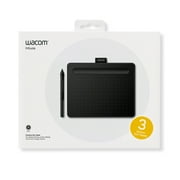
Wacom Intuos Small Graphics Drawing Tablet, Includes Training & Software; 4 Customizable ExpressKeys Compatible with Chromebook Mac Android &
DKK 404
Price Details
Excluding Shipping & Custom charges ( Shipping and custom charges will be calculated on checkout )
*All items will import from USA
QTY:
Ubuy arbejder hårdt for at beskytte din sikkerhed og dit privatliv. Vores avancerede betalingssikkerhedssystem sikrer fortrolighed ved at kryptere dine oplysninger under transmission ved hjælp af AES (Advanced Encryption Standards) og SSL (Secure Socket Layer) protokoller. Dine betalingsoplysninger er 100% sikre, da vi ikke deler dine betalingsoplysninger med tredjepartssælgere.
Transform the world by bringing your vision to life with a Wacom pen in your hand.
Buy Now Pay Later
Fast
Shipping
Free
Return*
Secure Packaging
100% Original Products
PCI DSS Compliance
ISO 27001 Certified
Produktdetaljer
PRODUKTBESKRIVELSE
Wacom Intuos Small Graphics Drawing Tablet, Includes Training & Software; 4 Customizable ExpressKeys Compatible with Chromebook Mac Android & Windows, Black
Kundespørgsmal & svar
-
spørgsmål:
What are the main features of the Wacom Intuos Small Graphics Drawing Tablet?
svar: The Wacom Intuos Small Graphics Drawing Tablet boasts several impressive features, including a pressure-sensitive pen that offers 4096 levels of sensitivity, which allows for precise drawing and shading. It also includes four customizable ExpressKeys, enabling users to access frequently used functions quickly. Compatible with Chromebook, Mac, and Android devices, this tablet is versatile for artists of all skill levels. Ideal for digital artists, graphic designers, and hobbyists, the Intuos enhances creativity and workflow. -
spørgsmål:
How do the customizable ExpressKeys enhance the user experience?
svar: The four customizable ExpressKeys on the Wacom Intuos Small Graphics Drawing Tablet significantly enhance user experience by providing quick access to commonly used shortcuts. Users can program these keys to perform functions such as undo, redo, or switch tools, streamlining the creative process. This is particularly beneficial during time-sensitive projects or complex illustrations where efficiency is paramount. As a result, artists can maintain their creative flow without interruptions. -
spørgsmål:
Is the Wacom Intuos compatible with my device?
svar: Yes, the Wacom Intuos Small Graphics Drawing Tablet is compatible with a broad range of devices, including Chromebook, Mac, and Android systems. This multi-device compatibility makes it a versatile tool for digital artists, allowing them to use it with various applications. Whether drawing on a Chromebook during a lecture or using it with a Mac for a professional project, this tablet adapts to your workflow effortlessly, making it suitable for students, professionals, and casual creators alike. -
spørgsmål:
What software is included with the Wacom Intuos tablet?
svar: The Wacom Intuos Small Graphics Drawing Tablet comes with a selection of creative software to kickstart your artistic journey. This includes training resources and applications like Corel Painter Essentials and Clip Studio Paint, which cater to various artistic styles and preferences. The included software not only aids in improving skills but also provides users with tools to explore digital painting, illustration, and photo editing. These resources are perfect for beginners who are looking to learn and enhance their artistry. -
spørgsmål:
Can I use the Wacom Intuos tablet for photo editing?
svar: Absolutely! The Wacom Intuos Small Graphics Drawing Tablet is an excellent choice for photo editing. Its pressure-sensitive pen allows for fine control, enabling precise adjustments and retouching. Users can easily create masks, blend colors, and apply detailed edits, making it a favored tool among photographers and graphic designers. The intuitive interface and customizable options make it compatible with popular photo editing software, enhancing overall productivity in any editing workflow. -
spørgsmål:
How does the pen technology work on the Wacom Intuos tablet?
svar: The pen technology used in the Wacom Intuos Small Graphics Drawing Tablet is based on electromagnetic resonance, which detects the pen's pressure and tilt as you draw. This allows for a highly responsive experience, where the tablet captures every nuance of your art, from fine lines to smooth shading. This technology provides an authentic drawing experience comparable to traditional media, making it suitable for artists transitioning to digital art and enhancing their creative capabilities. -
spørgsmål:
What type of artists benefit most from the Wacom Intuos tablet?
svar: The Wacom Intuos Small Graphics Drawing Tablet is versatile, benefiting a wide range of artists. Beginners will find the included software and training valuable for developing their skills, while intermediate and advanced artists can utilize its pressure sensitivity and customization options to explore intricate designs. Illustrators, graphic designers, and hobbyists alike will appreciate its performance and adaptability across various artistic applications. Whether creating digital drawings, illustrations, or graphic art, this tablet supports diverse creative endeavors. -
spørgsmål:
Can I use the Wacom Intuos tablet for online tutoring or collaboration?
svar: Yes, the Wacom Intuos Small Graphics Drawing Tablet is an ideal tool for online tutoring or collaborative projects. Its precise drawing capabilities allow tutors to illustrate concepts live, while students can create and share their work seamlessly. This interactivity enhances remote learning experiences, making it easier for both instructors and learners to communicate ideas visually. It is especially useful for art classes, design critiques, and feedback sessions, where clarity and precision are essential. -
spørgsmål:
What is the setup process for the Wacom Intuos tablet?
svar: Setting up the Wacom Intuos Small Graphics Drawing Tablet is straightforward. First, download the necessary drivers from the Wacom website based on your operating system. Once installed, connect the tablet to your device via USB, and you're ready to go! The included software often guides you through initial setups and offers helpful tutorials. This process ensures that users of all experience levels can start creating quickly, making it an accessible option for aspiring artists. -
spørgsmål:
Where can I buy Wacom Intuos Small Graphics Drawing Tablet?
svar: You can conveniently purchase the Wacom Intuos Small Graphics Drawing Tablet at Ubuy. Ubuy offers a user-friendly shopping experience with a wide selection of tech products, including graphic tablets. Whether you're a student, professional artist, or hobbyist, Ubuy provides access to this versatile drawing tablet along with additional resources to help you on your creative journey.
Wacom Graphics Tablets Editorial Review
Kundeanmeldelser & vurderinger
-
5 stjerne
100%
-
4 stjerne
0%
-
3 stjerne
0%
-
2 stjerne
0%
-
1 stjerne
0%
Anmeld dette produkt
Del dine tanker med andre kunder
Platform Trust & Buyer Confidence
“The product received very good packaging & safe…Thank You”
“Accurate delivery timing given”
“Not madly expensive like I thought, and much quicker than promised.”
“Never dealt with Ubuy before, but everything worked out great. Seamless cross border purchasing and shipping. Thanks!”
“The process was smooth, with clear communication and timelines. This was my 1st purchase and I am really impressed. I will definitely be coming back.”
Top selling Wacom Intuos Tablet in Denmark
Produktets prishistorik
Vigtig information
- Begrænsninger : ved produkter som forsendes internationalt skal du venligst være opmærksom på, at eventuelle garantier fra producenten ikke nødvendigvis gælder; producentens tjenester vil måske ikke være tilgængelige; produktmanualer, instruktioner og sikkerhedsoplysninger vil måske ikke findes på destinationslandets sprog. Produkterne samt tilhørende materialer vil måske ikke være designet i overensstemmelse med destinationslandets nationale standarder, specifikationer og krav til mærkning; og produkterne lever ikke nødvendigvis op til destinationslandets standarder for spænding og strøm (hvilket betyder, at en adapter eller omformer kan være nødvendig). Køber er ansvarlig for at sikre, at produktet kan importeres på lovlig vis til destinationslandet. Ved køb hos Ubuy eller Ubuys filialer er køberen officiel importøt og skal følge alle destinationslandets love og regler.
- Det er ikke alle de produkter som vises på Ubuy som er til salg, idet Ubuy er en global søgemaskine. Produkterne er underlagt eksport-/handelsregler.
DKK 404
Bestil nu og få den omkring Fredag, Juli 10
This item is not restrict in my country.(Please click on above link if this item is not restrict in your country, So our team will review and allow.)
QTY:
Ubuy arbejder hårdt for at beskytte din sikkerhed og dit privatliv. Vores avancerede betalingssikkerhedssystem sikrer fortrolighed ved at kryptere dine oplysninger under transmission ved hjælp af AES (Advanced Encryption Standards) og SSL (Secure Socket Layer) protokoller. Dine betalingsoplysninger er 100% sikre, da vi ikke deler dine betalingsoplysninger med tredjepartssælgere.
Egenskaber og fordele
- Ideal for beginners in drawing, painting, and photo editing.
- Compatible with Mac, PC, Chromebook, and select Android devices.
- Includes useful software and online tutorials for creative guidance.
- Perfect for educational settings to enhance learning and flexibility.
- Features a compact design, making it portable and space-efficient.
- Customizable ExpressKeys for personalized workflow.


